

Someone writing at a desk by a window

The record · cl. 26(a)(iii)

Drafted on the file, signed by you.

PPI responses, Section 61 requests and letters of advice, drafted from what is already on the matter. A licensed adviser signs off everything.

What Writer drafts

PPI responses, Section 61 requests and letters of advice, drafted from what is already on the matter rather than from a blank page. A licensed adviser reviews and signs off everything before it goes anywhere. Clerq drafts and records. It does not decide, it does not advise, and it never files with Immigration New Zealand.

Code clause
cl. 26(a)(iii), written communications on the file
Drafted from
The matter itself, not a blank page
The boundary
A licensed adviser reviews and signs off every draft
Writer

Draft the PPI response without leaving the file.

Clerq drafts from the material already on the case. You read it, change it, and send it. How long you usually have to reply is in our note on PPI letters.

  • PPI responses, Section 61 requests and letters of advice, drafted in-product.
  • Merge fields fill from the file, and the draft exports on your own letterhead.
  • Every version stays on the case, which is itself what clause 26(a)(iii) asks for.
A client name replaced by a token before it reaches a model, and restored on the way back inside New Zealand Our infrastructure, in New Zealand Mele Tupou Real detail ⟨client-a⟩ Token The model Sees tokens only Real details restored on the way back Step unavailable? The request is refused. Never sent unprotected A client name replaced by a token before it reaches a model, and restored on the way back inside New Zealand Our infrastructure, in New Zealand Real details restored on the way back Mele Tupou Real detail ⟨client-a⟩ Token The model Sees tokens only Step unavailable? The request is refused. Never sent unprotected

Illustrative. The practice shown is synthetic.
Industry library · Free to read

The rules, with the date they took effect.

The Industry library holds INZ’s Operational Manual, amendment circulars and Visa Paks, Immigration and Protection Tribunal practice notes and decisions, and the Code of Conduct, to search and read inside Clerq. It shows you what the source said and when, so you can check it against the official version before you rely on it.

  • Nothing is labelled current. You see the date a document took effect, whether a later one replaced it, and when Clerq holds only part of a series.
  • Add a section to a case and Clerq keeps a dated copy, then tells you if it is replaced later.
  • Ask a question, from AI credit, and the answer cites the passages it draws on. If the library holds nothing on it, you are told so and no credit is spent.
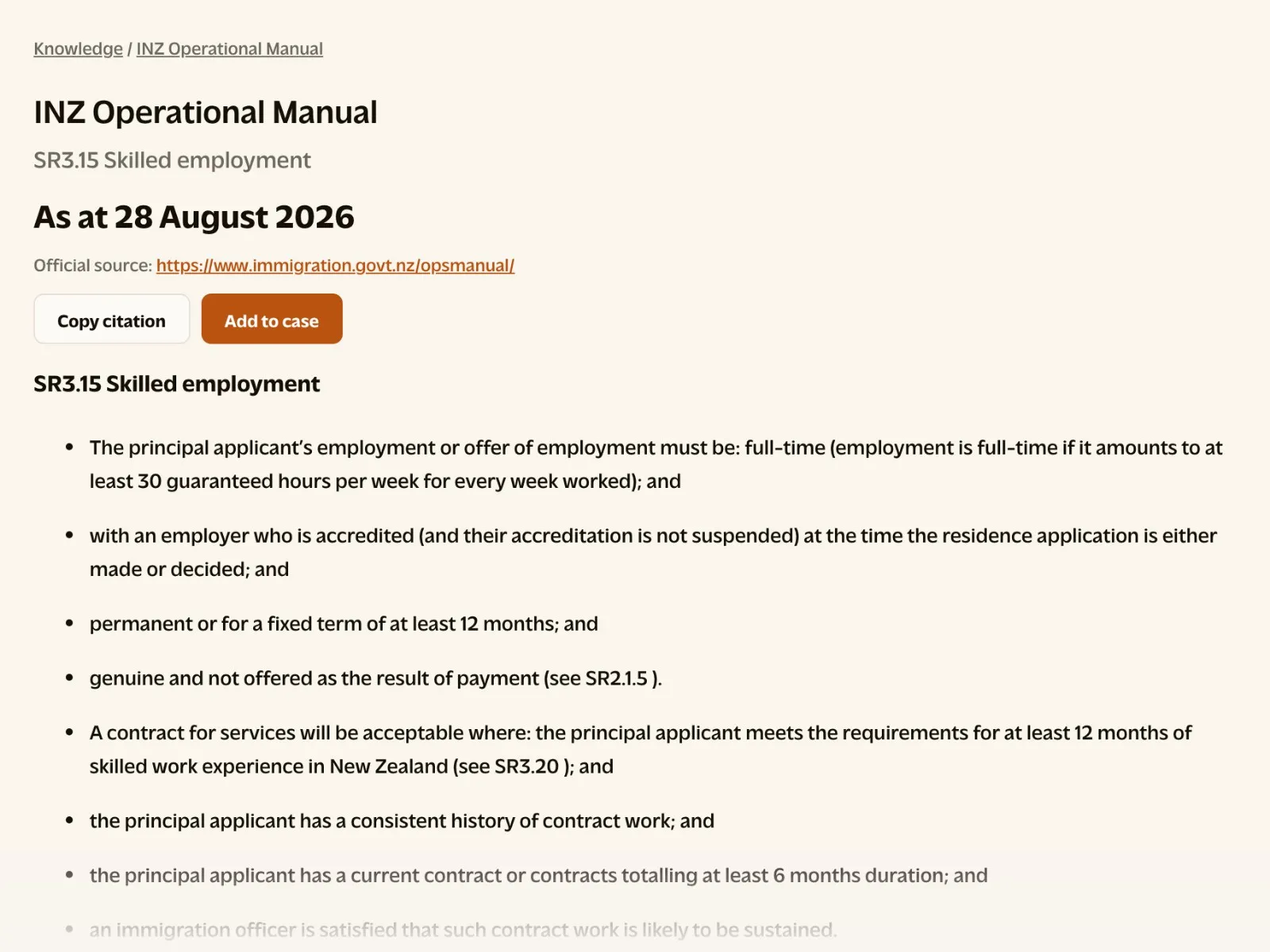
INZ Operational Manual section SR3.15, Skilled employment, in the Industry library, as at 28 August 2026, with Copy citation and Add to case above the text.

The practice shown is synthetic.

Smart about what a letter says.

AI credit means it uses AI and draws on prepaid credit. Included means it comes with the free practice system. A licensed adviser decides what changes and what goes out.

01

A check for unlicensed advice

AI credit

Run the review and Clerq flags anything in the letter that reads as unlicensed advice or overstates certainty, before it goes out.

02

Every fact against the file

AI credit

The fact check marks each fact in the letter as matching the case file, differing from it, or missing from it.

03

A courtesy copy in their language

AI credit

Translate a letter for the client to read in their own language. The English letter stays the record.

04

Templates from a real letter

AI credit

Turn a letter you’ve written into a template. Client details become merge fields, and if any would survive, Clerq refuses to save it.

05

Drafts in your own voice

AI credit

Give Clerq a few letters you have written and its drafts follow your style, ready for you to edit.

06

A colleague signs it off

Included

Send a letter for review. Your colleague comments, suggests changes you accept or decline, and approves it or sends it back before it is finalised.

07

Out on your letterhead, signed

Included

Export to PDF or Word on your own letterhead. Sign as me adds your saved signature, name, licence number and date once you enter your password again.

More in The record

Start with the file you are worried about.

We onboard one practice at a time, so the first conversation is a working one: your overdue dates, the documents you are still chasing, and what the system would have done about them.